## EasySbAi Backtest Execution
This document details how to test the EasySbAi EA.
## Requirements
1. Latest version of EasySbAi installed (functional)
2. Zip installed
## Steps
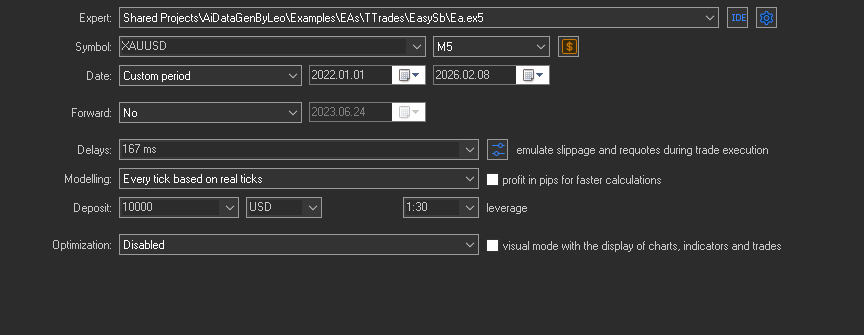
1. Initial MT5 backtester configuration:
Go to the MT5 tester section and configure it as follows:
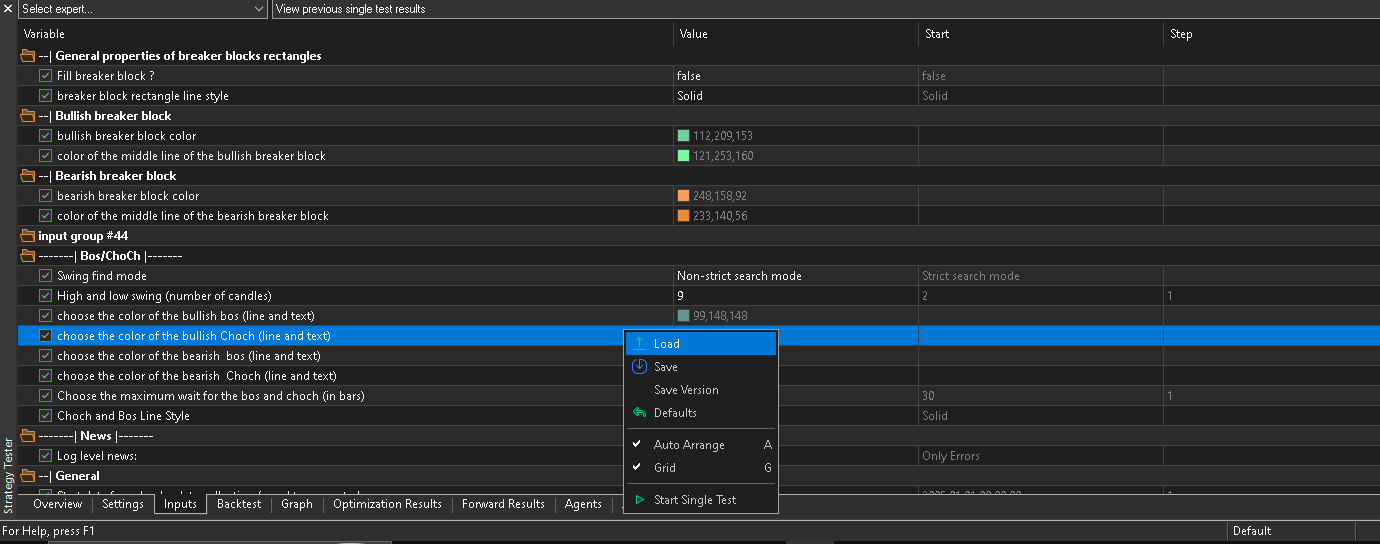
2. Press the load button:
In the EA parameters section, select the setfile load:
3. Find the setfile and apply:
In the file selector, navigate to this path:
```
C:\Users\\AppData\Roaming\MetaQuotes\Terminal\Common\Files\EasySbAi\XAUUSD\M5\conservador_0\fin\
```
Now select the file "2.set", apply it, then click "Start" and the backtest will run.
## Results
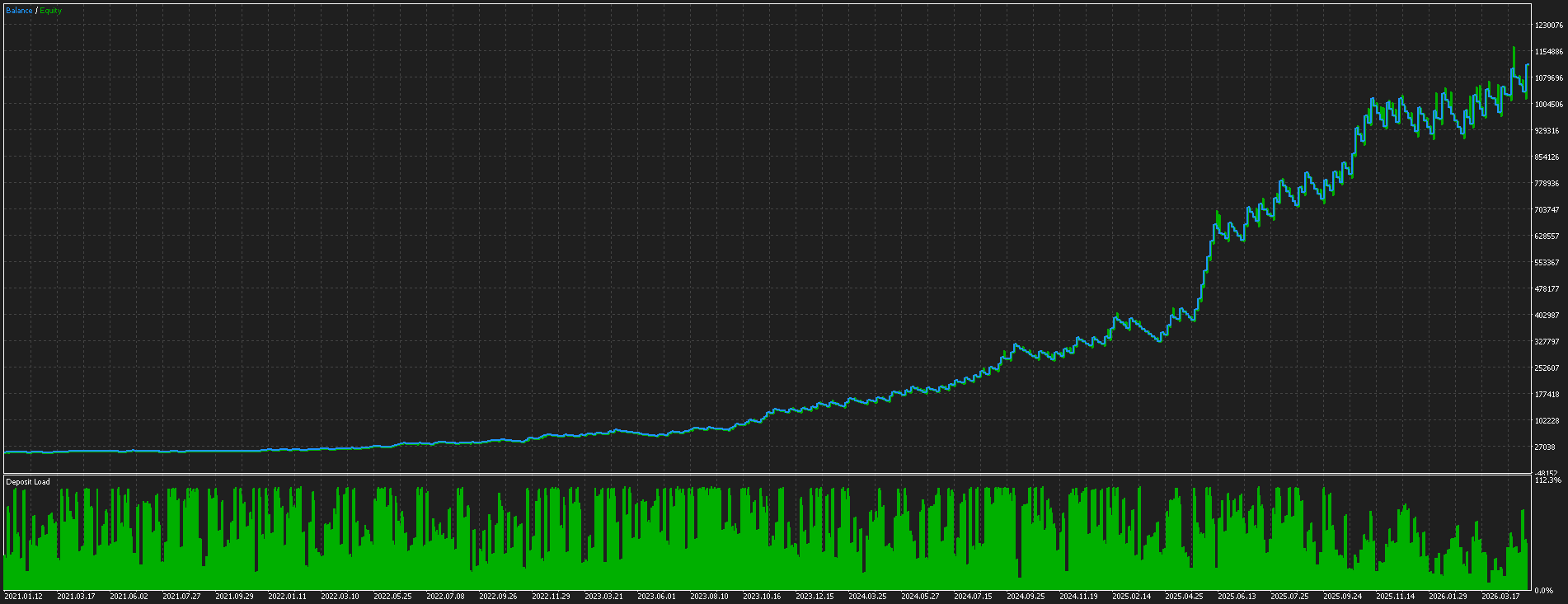
The following results were obtained:
> Notes:
> - The ML model was trained from 2021.01.01 to 2025.06.01
> - A 10-month forward test was performed
> - Data is from FTMO, so if you use a different broker, retraining will be required