2026-04-20 13:17:41 +00:00
|
|
|
## EasySbAi Backtest Execution
|
|
|
|
|
This document details how to test the EasySbAi EA.
|
2026-04-20 13:16:06 +00:00
|
|
|
|
2026-04-20 13:17:41 +00:00
|
|
|
## Requirements
|
|
|
|
|
1. Latest version of EasySbAi installed (functional)
|
|
|
|
|
2. Zip installed
|
|
|
|
|
|
|
|
|
|
## Steps
|
|
|
|
|
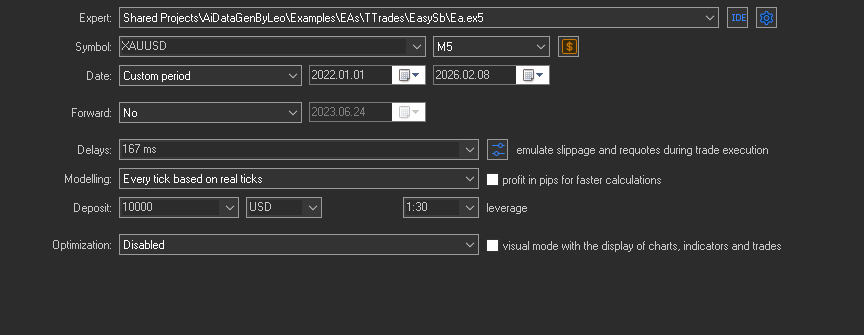
1. Initial MT5 backtester configuration:<br>
|
|
|
|
|
Go to the MT5 tester section and configure it as follows:
|
2026-04-20 13:16:06 +00:00
|
|
|
|
|
|
|
|
|
|
|
|
|
|
2026-04-20 13:17:41 +00:00
|
|
|
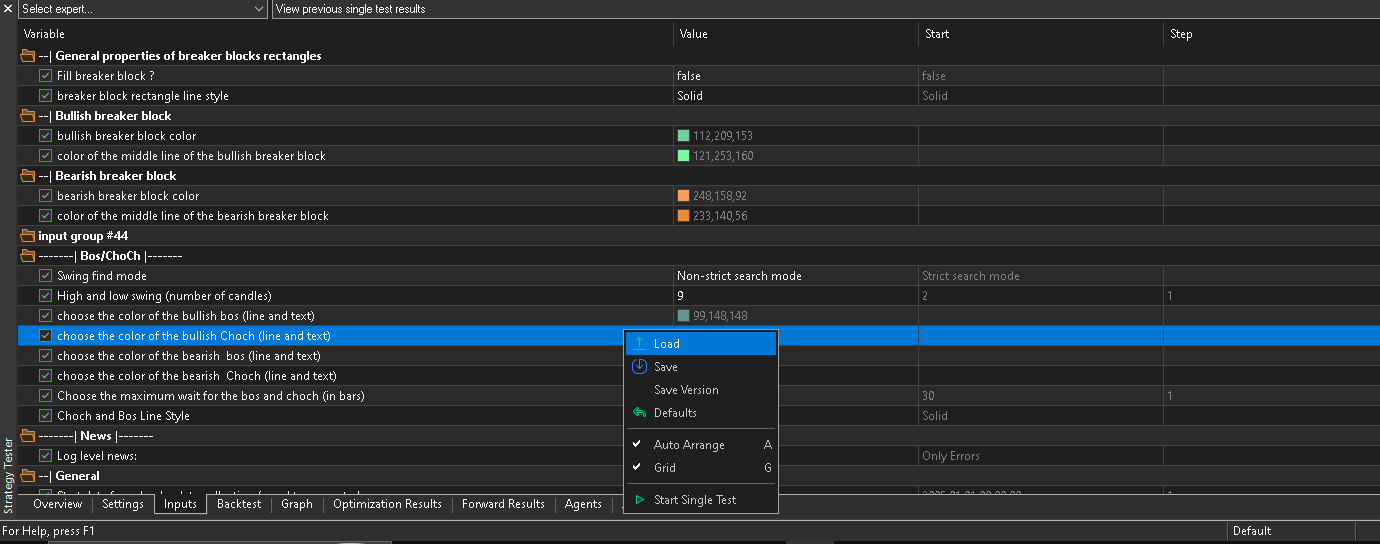
2. Press the load button:<br>
|
|
|
|
|
In the EA parameters section, select the setfile load:
|
|
|
|
|
|
2026-04-20 13:16:06 +00:00
|
|
|
|
|
|
|
|
|
2026-04-20 13:17:41 +00:00
|
|
|
3. Find the setfile and apply:<br>
|
|
|
|
|
In the file selector, navigate to this path:
|
2026-04-20 13:16:06 +00:00
|
|
|
```
|
2026-04-20 13:21:48 +00:00
|
|
|
C:\Users\<YOUR ID>\AppData\Roaming\MetaQuotes\Terminal\Common\Files\EasySbAi\XAUUSD\M5\conservador_0\fin\
|
2026-04-20 13:16:06 +00:00
|
|
|
```
|
2026-04-20 13:17:41 +00:00
|
|
|
Now select the file "2.set", apply it, then click "Start" and the backtest will run.
|
2026-04-20 13:16:06 +00:00
|
|
|
|
2026-04-20 13:17:41 +00:00
|
|
|
## Results
|
|
|
|
|
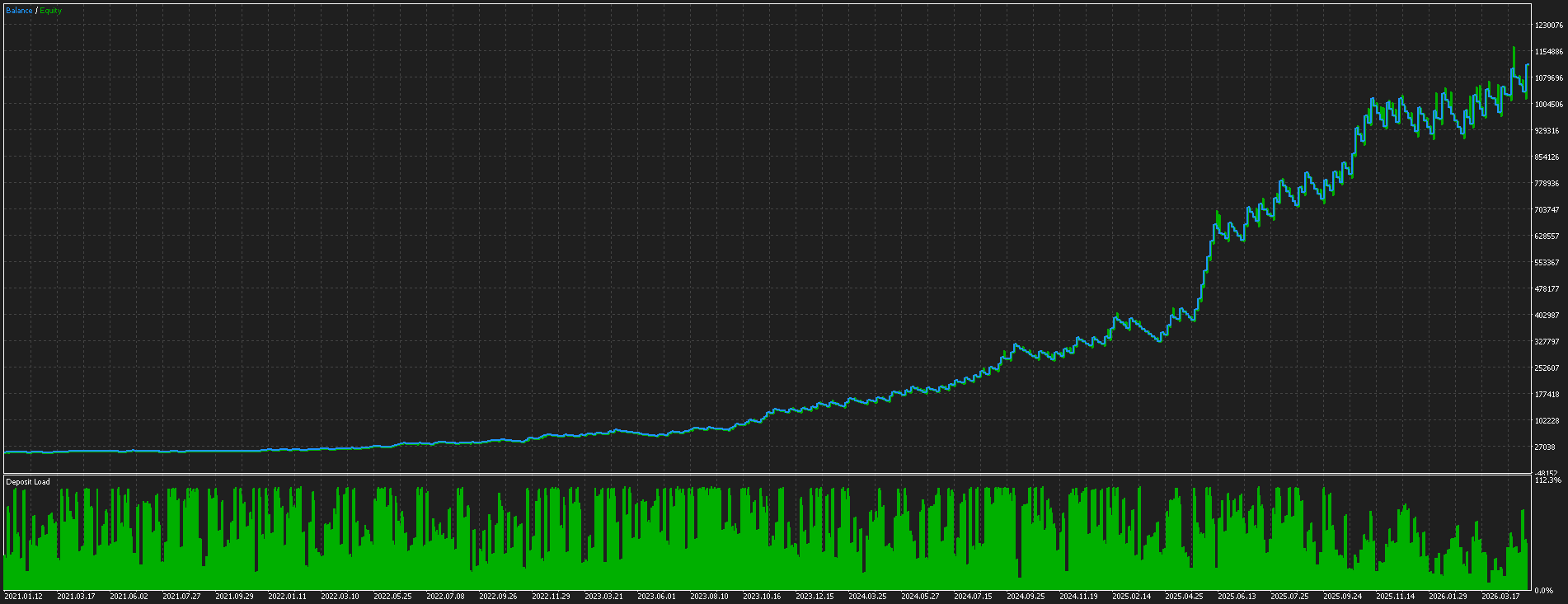
The following results were obtained:
|
2026-04-20 13:16:06 +00:00
|
|
|
|
|
|
|
|
|
2026-04-20 13:17:41 +00:00
|
|
|
> Notes:
|
|
|
|
|
> - The ML model was trained from 2021.01.01 to 2025.06.01
|
|
|
|
|
> - A 10-month forward test was performed
|
|
|
|
|
> - Data is from FTMO, so if you use a different broker, retraining will be required
|