MetaTrader 5 Indicator that detects consolidation ranges and generates signals based on three customizable strategies
| Img | ||
| Src | ||
| dependencies.json | ||
| LICENSE | ||
| Logo-Empresa-Nique.ico | ||
| Multi Strategy Ranges Indicator.mq5 | ||
| MultirangesInd.mqproj | ||
| README.md | ||


MetaTrader 5 Indicator that detects consolidation ranges and generates signals based on three customizable strategies





Main Features
- Three detection strategies: direct breakout, breakout with retest, and false breakout with re-entry
- ATR-based or fixed-point range difference thresholds
- Swing high/low detection via pure swings or ZigZag
- Fully customizable rectangle style (color, fill, line width, line style)
- Configurable wait bars for retest and re-entry strategies
- Built-in alert system (popup and push notification)
- Multi-timeframe support
Strategies
| Strategy | Description |
|---|---|
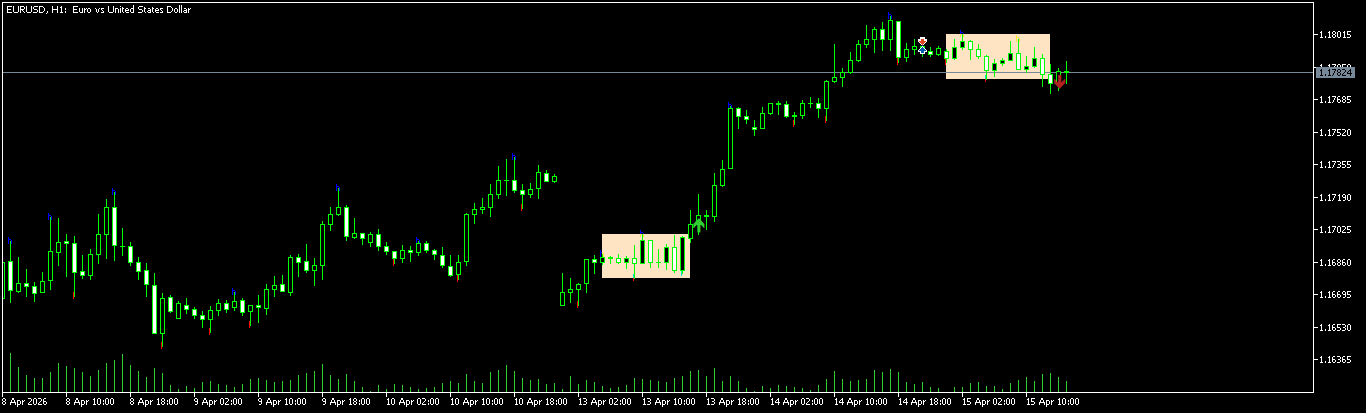
| Direct Breakout | Generates a signal on the bar that breaks the range |
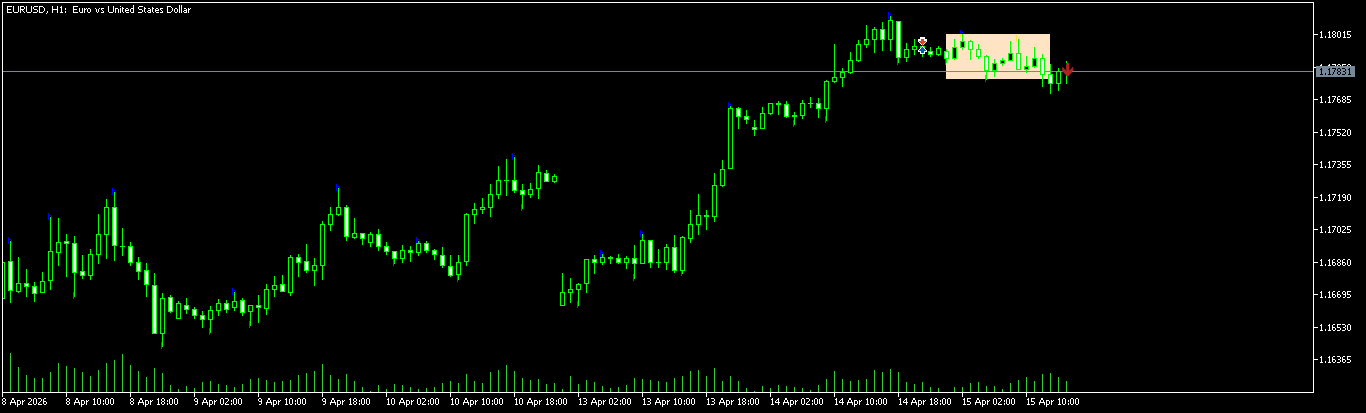
| Breakout + Retest | Waits for price to return and retest the broken level before signaling |
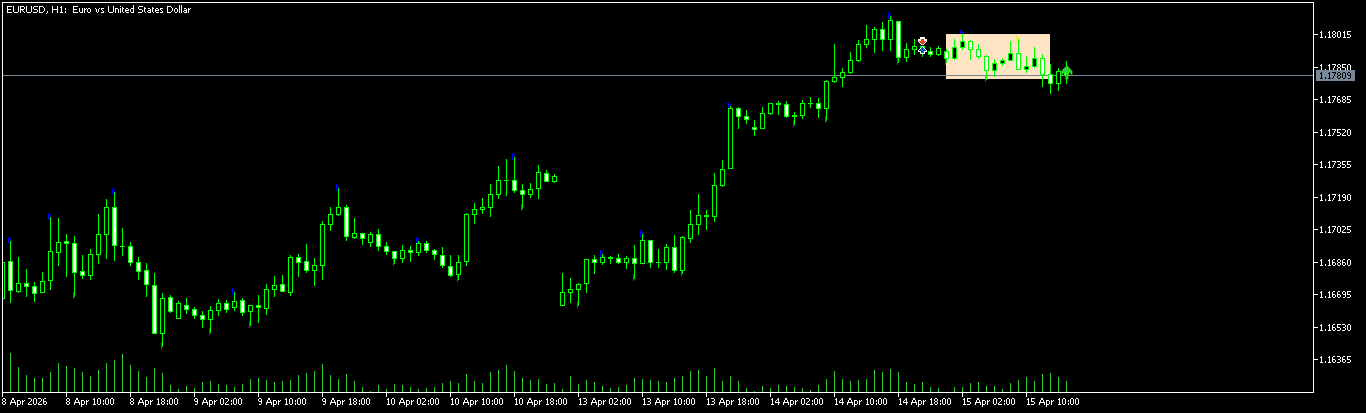
| Re-entry (Manipulation) | Signals when price re-enters the range after a false breakout |
Input Parameters
General
| Parameter | Description |
|---|---|
strategy_mod |
Strategy type: Breakout, Breakout + Retest, or Re-entry |
strategy_tf |
Timeframe for range detection |
Retest Strategy
| Parameter | Description |
|---|---|
max_espera_reetest |
Maximum bars to wait for a retest (default: 40) |
type_retest |
Strict or non-strict retest validation |
Re-entry Strategy
| Parameter | Description |
|---|---|
max_espera_re_entry |
Maximum bars to wait for re-entry (default: 40) |
Range Detection
| Parameter | Description |
|---|---|
inp_type_get_swing |
Min/max detection mode: Pure Swings or ZigZag |
lenth_swing |
Swing candle length (used when Pure Swings mode is selected) |
period_zz |
ZigZag period (used when ZigZag mode is selected) |
inp_type_max_diff |
Max diff type: ATR-based or fixed points |
inp_atr_multiplier |
ATR multiplier for range width threshold |
inp_atr_period |
ATR period |
max_diff_in_high_lows_range_in_points |
Fixed max diff in points |
Visual
| Parameter | Description |
|---|---|
fill_rect_range |
Fill the range rectangle |
clr_range |
Rectangle color |
style_range |
Line style |
width_range |
Line width |
Alerts
| Parameter | Description |
|---|---|
enable_alerts |
Enable/disable alerts |
range_alerts_flasg |
Alert types: Notification, Alert, or both |
Preview
Direct Breakout
Breakout + Retest
Re-entry (Manipulation)
Repository Structure
MultiStrategyRangesIndicator/
├── Src/      # Core strategy logic (MultyEstrategieRange.mqh, Global.mqh, etc.)
├── Img/      # Repo banner and assets
└── Multi Strategy Ranges Indicator.mq5  # Main indicator file
Requirements
See dependencies.json for the full dependency list.
Installation
- Clone the repository into your MT5
MQL5\Shared Projects\folder via CMD - Or contact me on MQL5 (user:
nique_372) to be added as a collaborator with read-only access — the repository will appear automatically in your Shared Projects folder - Or fork the repository
Quick Start
- Download the latest
.ex5from the Releases section - Copy the
.ex5file into your MT5MQL5\Indicators\folder - Attach the indicator to any chart and configure the inputs
License
By downloading or using this repository, you accept the license terms.
Disclaimer
Trading involves substantial risk of loss.
- This software is a technical tool, not financial advice
- Past performance does not guarantee future results
- You are solely responsible for your trading decisions
- Always test thoroughly before deploying with real capital
- Use appropriate risk management at all times
The authors assume no liability for trading losses, system failures, or any damages arising from the use of this software.
Contact and Support
- MQL5 Product Page: https://www.mql5.com/en/market/product/133514
- Comments & Community Support: https://www.mql5.com/en/market/product/133514/comments
- Profile: https://www.mql5.com/es/users/nique_372
- Issues: Use the repository issue tracker for bug reports and feature requests
Copyright © 2025 Nique-Leo. All rights reserved.